
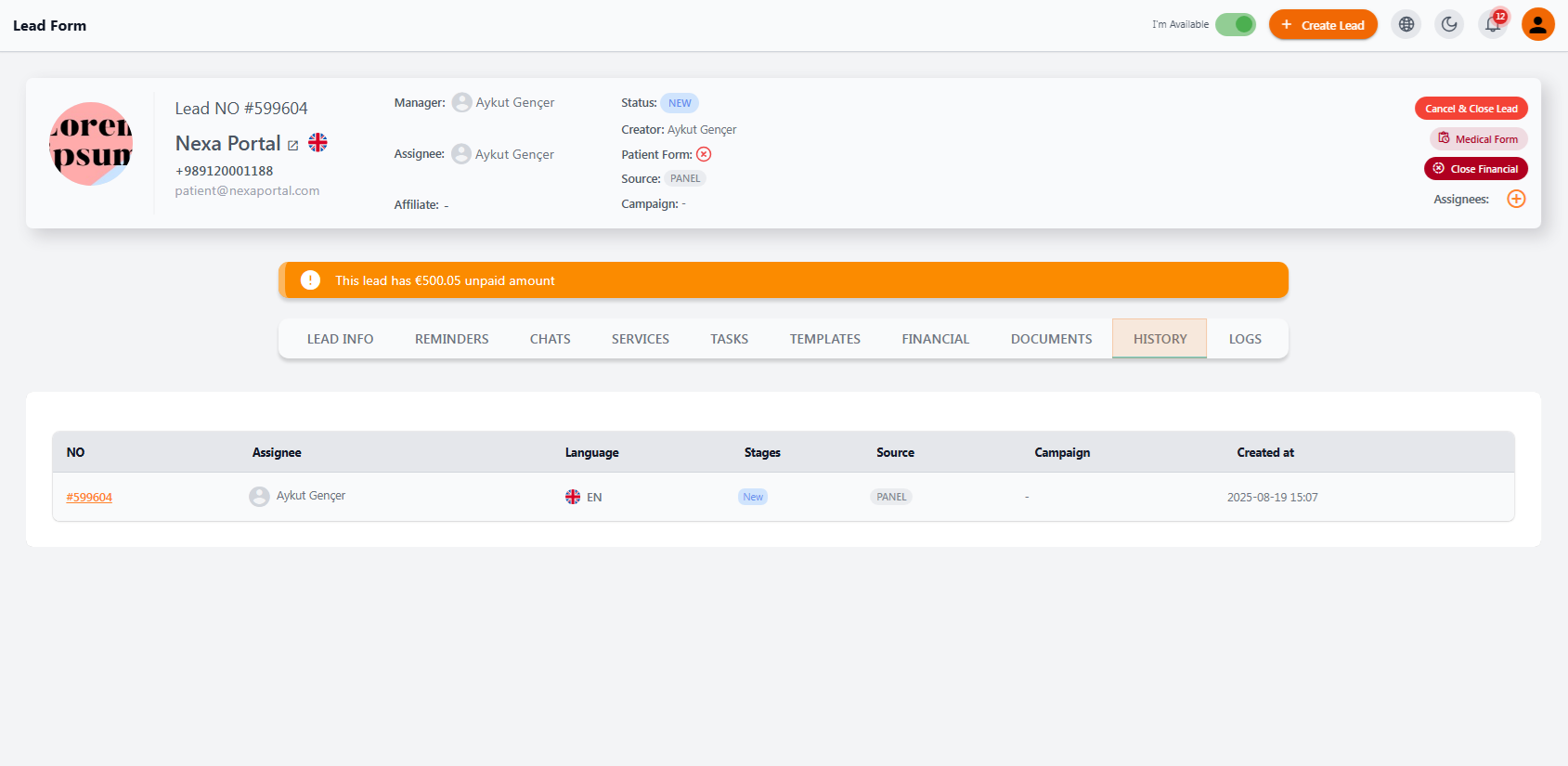
🧾 Displayed Information #
In the history table, the following data is shown for each registered lead:
| Column | Description |
|---|---|
| NO | Unique lead number (clickable to view more details) |
| Assignee | The team member currently responsible for this lead |
| Language | The lead’s preferred communication language |
| Stages | Current sales stage (e.g., NEW, CONTACTED, OFFER SENT) |
| Source | Where the lead was created (e.g., PANEL, FORM, ADS) |
| Campaign | Campaign from which the lead was captured (if applicable) |
| Created at | Date and time the lead was added to the system |
✅ Key Uses #
-
Quickly check a lead’s source and current status
-
Identify the responsible team member and preferred language
-
Match leads with specific campaigns or forms
-
Assist managers with lead analysis and reporting
🛠️ Note: The history section is generated automatically upon lead creation and is updated when new leads are added or system structure changes occur.
🧠 Lead Logs (Activity Records) #
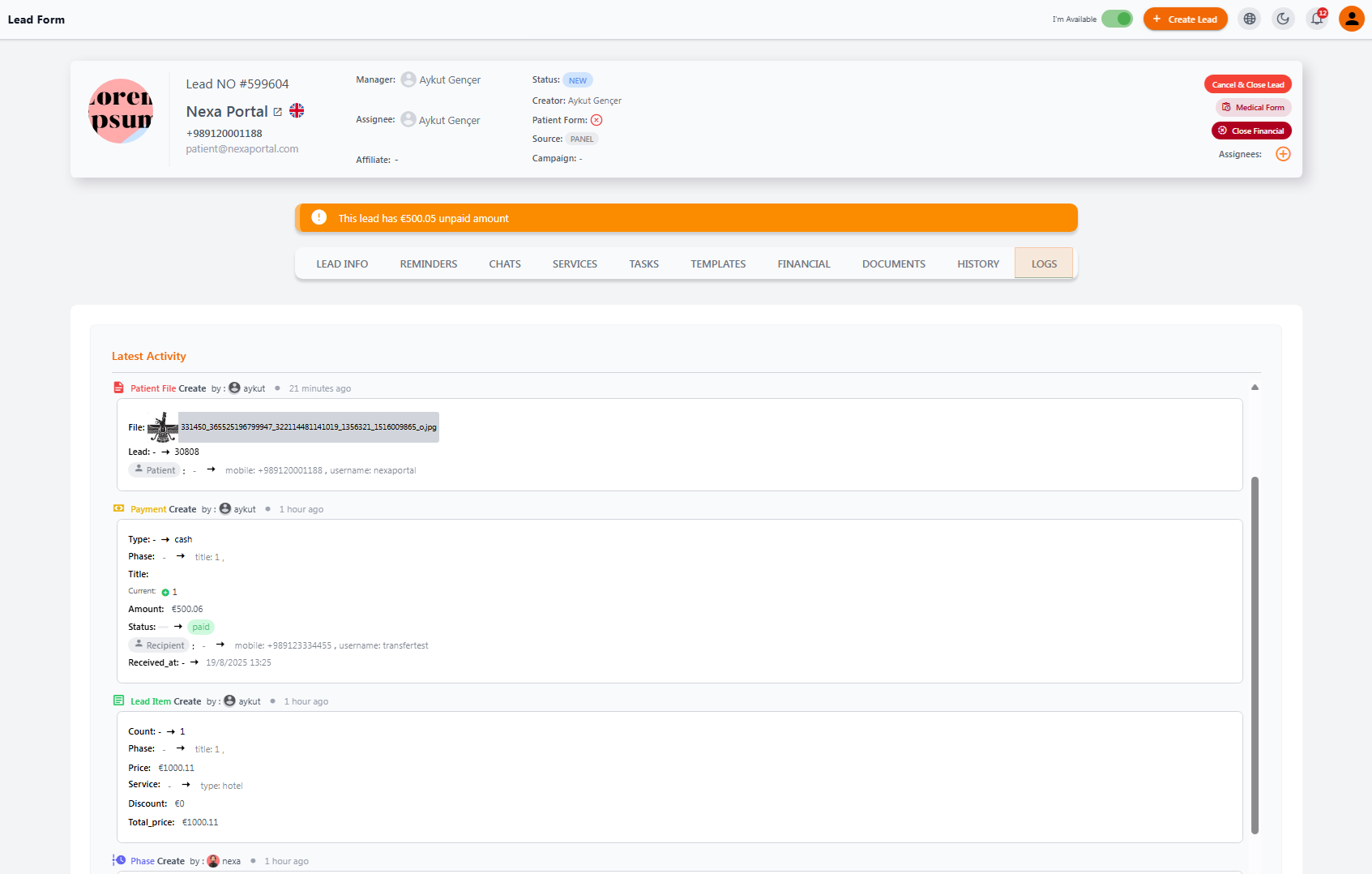
The Logs section serves as a detailed activity tracker for every interaction with the lead. It helps users monitor all actions, changes, and events in a clear chronological order.
📋 What’s Recorded in Logs? #
Each activity entry includes the following information:
| Item | Description |
|---|---|
| Action Type | What was done (e.g., patient file upload, payment created, service added, phase updated) |
| Performed by | The name and avatar of the team member who did the action |
| Timestamp | When the action occurred (e.g., 1 hour ago, 2 minutes ago) |
| Details | Specifics like payment info, uploaded files, service prices, phase number, recipient info, payment status, etc. |
🔍 Why It Matters #
-
Full team transparency: Managers can see all activities down to the user level.
-
Clear lead progress: Know exactly who did what and when.
-
Error tracking: Catch mistakes or repeated actions easily.
-
Reliable documentation: Logs serve as official records for legal, financial, or service-related follow-ups.
🧩 Common Log Entries #
-
Patient file uploaded
-
New payment created
-
New item added to a phase
-
Phase or status changed
The Logs section is a powerful internal monitoring tool in NexaPortal, helping both staff and management maintain visibility and accountability across the lead journey.


