
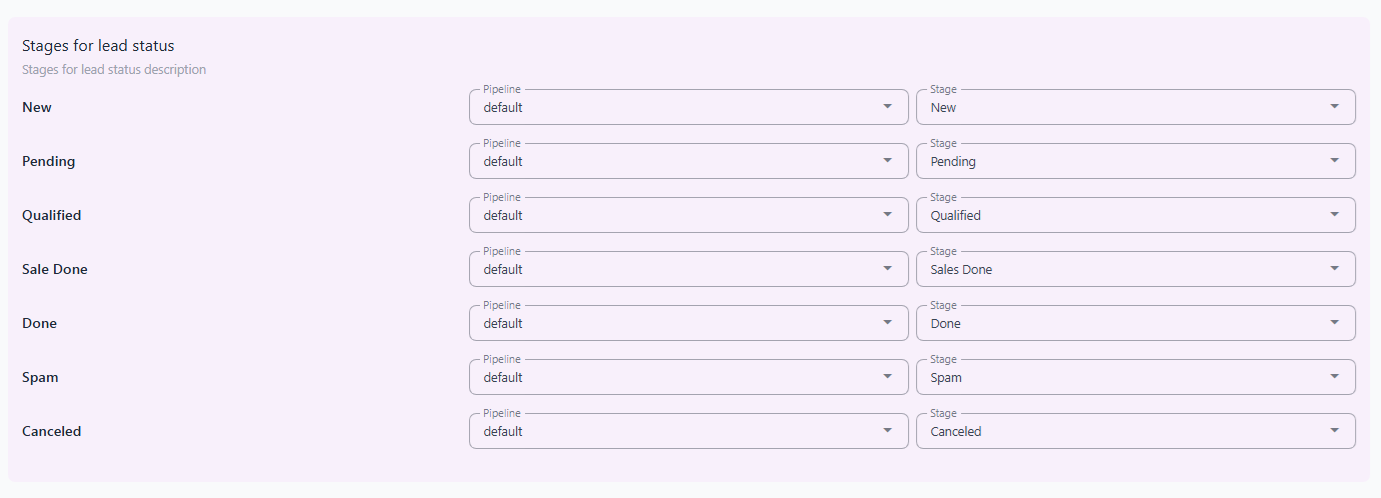
The Default Stage Settings section in the NexaPortal allows you to define and manage the various lead statuses in your sales pipeline in an organized way. Each lead is categorized into a specific stage based on its current status.
These settings help your sales and support teams gain a clearer view of the workflow and ensure transparent follow-up processes.
📌 Default Stages #
• New – A freshly entered lead that hasn’t been reviewed yet.
• Pending – The lead is received but requires further follow-up.
• Qualified – The lead has been reviewed and approved, ready to enter the sales process.
• Sales Done – The deal has been successfully closed.
• Done – All related processes for the lead are completed.
• Spam – The lead is invalid or irrelevant.
• Canceled – The lead process has been halted and is no longer being pursued.
These settings help you manage leads more easily, accurately, and professionally.
💡 Lead Stage Transition Rules #
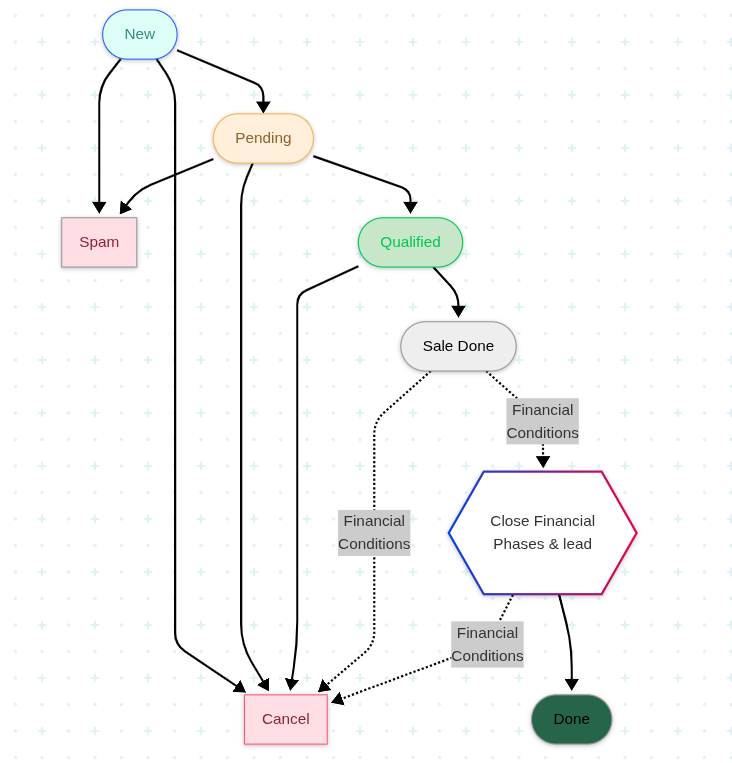
Based on the workflow chart, leads can transition between stages as follows:
🆕 New #
• Can move to Pending
• Or be marked as Spam
• Or be Canceled
⏳ Pending #
• Can move to Qualified
• Or be marked as Spam
• Or be Canceled
✅ Qualified #
• If approved, moves to Sales Done
• Or be Canceled
💰 Sales Done #
• First, Close Financial Phases & whole lead needs to be completed.
• Then it moves to Done
• Or be Canceled
✔️ Done #
• Indicates full completion of all lead processes.
🚫 Spam #
• The lead is invalid or not useful and is removed from the pipeline.
❌ Canceled #
• A lead can be canceled at any stage due to various reasons.


