
Staff List #
In this section, you can manage all team members, partners, and active or inactive employees. This section is diffrent from patients list. This page provides an overview of the internal system users’ details, roles, and statuses.
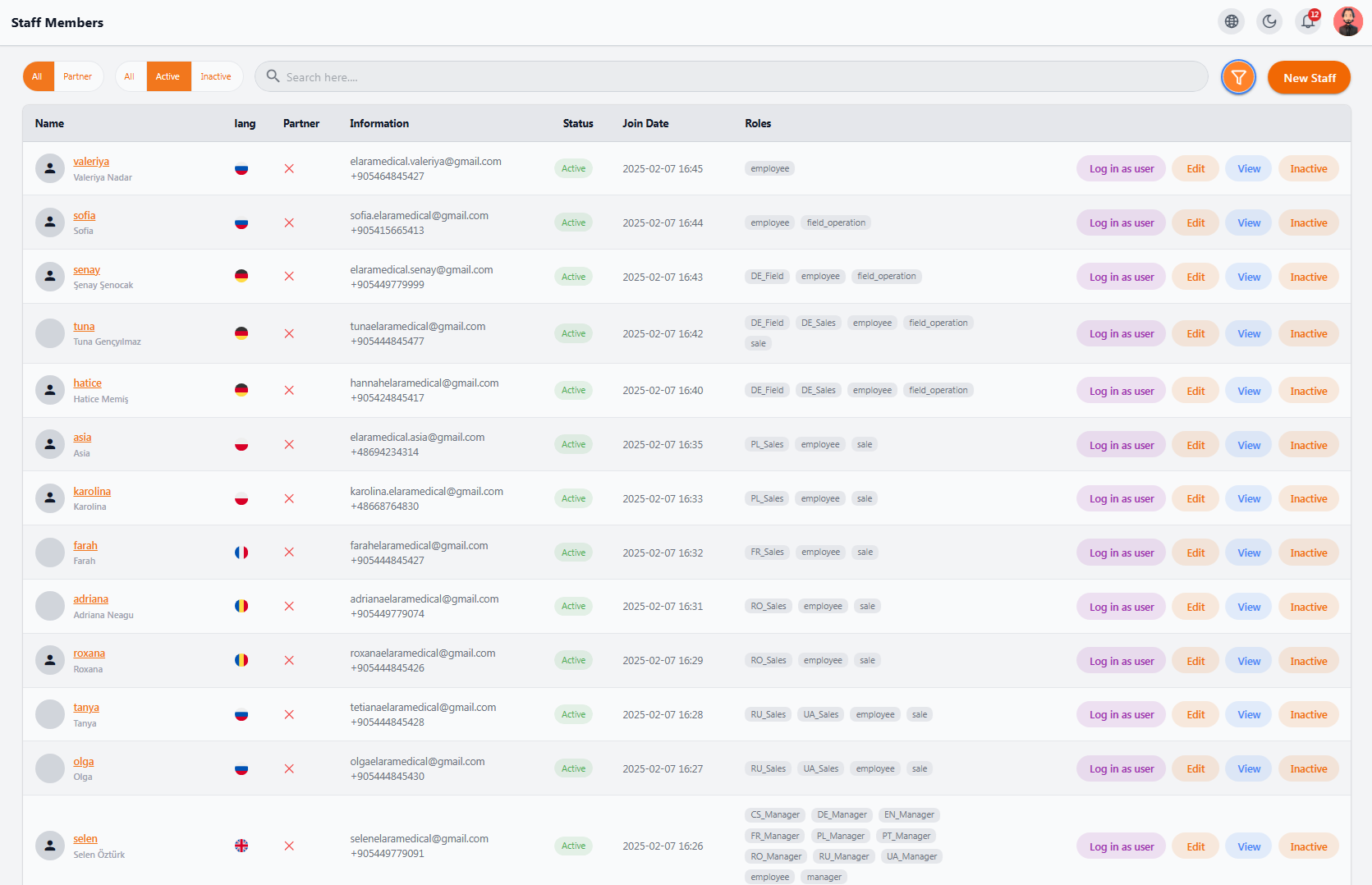
📋 Staff Table Information #
• Name – Full name and username
• Language (Lang) – Staff’s main language for system settings and files
• Partner – Partner status (✔ or ✘)
• Information – Email and phone number
• Status – Active or Inactive
• Join Date – Date the staff member joined the system
• Roles – Defined roles for each staff member (e.g., employee, sale, manager, field_operation, etc.)
• Actions – View details, edit information, deactivate account, log in as user (admin only)
🔍 Filters #
• All
• Partners only
• Active users only
• Inactive users only
➕ Add New Staff #
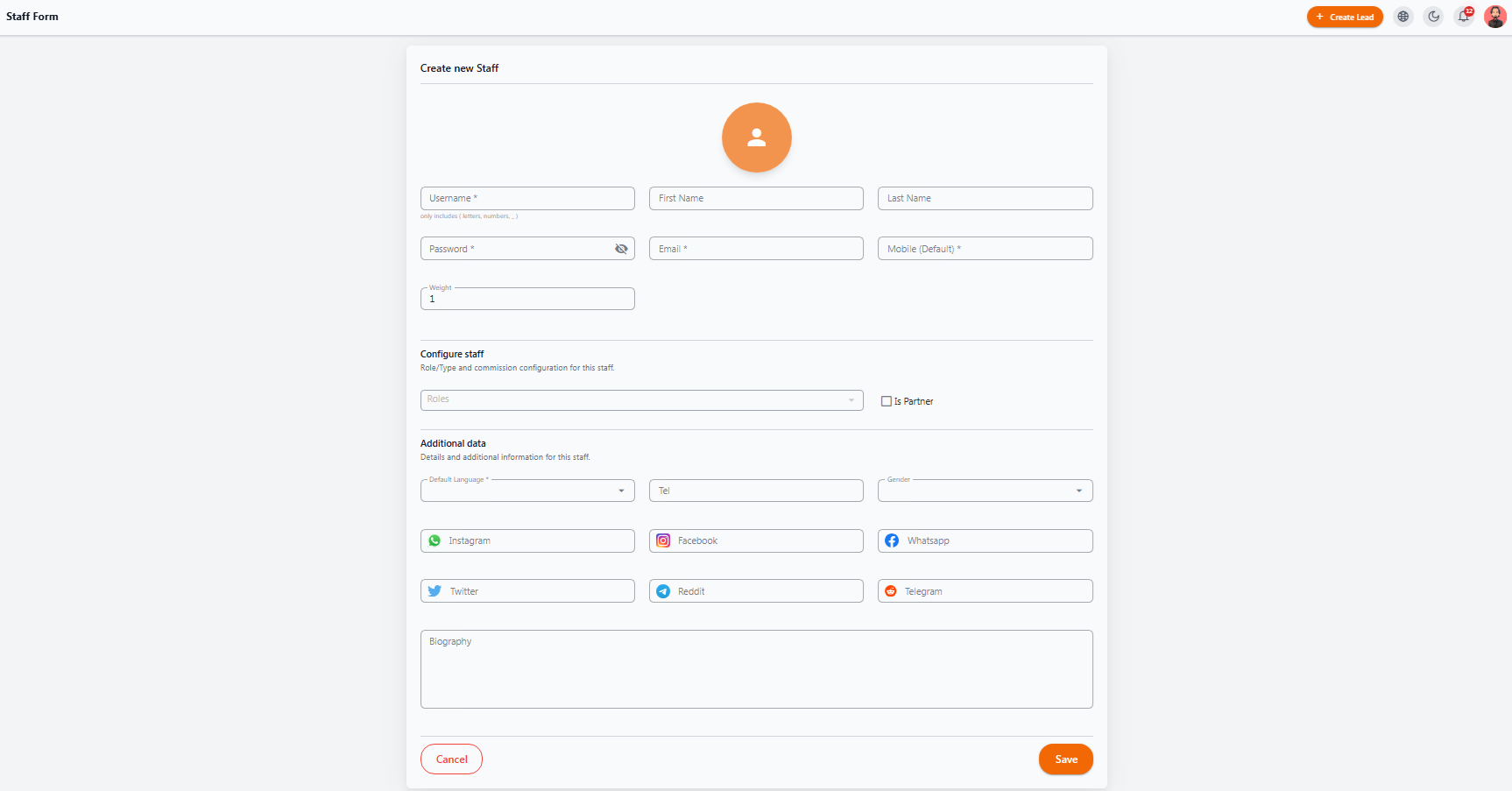
This form allows you to add a new staff member or partner to the system. It is designed to be both simple and complete, allowing you to easily enter all necessary and optional details.
📌 Basic Information #
• Username – Letters, numbers, and underscores only
• Password – Initial password for login
• First Name / Last Name – Person’s name and surname
• Email – Valid email for communication
• Mobile (Default) – Main contact number
⚙ Configuration Settings #
• Weight – User priority or importance in specific processes (e.g., lead distribution); higher numbers indicate higher importance or share
• Roles – User’s role(s) in the system, such as:
-
employee (regular staff)
-
sale (sales)
-
field_operation (field operations)
-
manager (manager)
-
Is Partner – If enabled, the person is considered a business partner and will have specific partner-related capabilities
📌 Additional Information #
• Default Language – Default language for the system and files
• Country / Tel / Gender – Country, telephone, gender
• Social Media – Social media links or IDs
• Biography – Short introduction or description of the user
• Save – Save and create the new user
• Cancel – Cancel and return to staff list
💡 Practical Tips
• Use the “Log in as user” feature to check access permissions and troubleshoot user issues
• Multiple roles allow assigning more than one responsibility to a staff member (e.g., sales + field operations)
• Staff with the “Manager” role can also be assigned to specific geographic regions (e.g., FR Manager for France management)


