
Leads Reports #
The Leads Reports section in NexaPortal is a powerful tool for sales representatives to evaluate team performance, review lead sources, and analyze customer conversion trends. This module is designed to be fully visual and easy to understand, giving you a clear overview of the journey from lead capture to final sale at a glance.
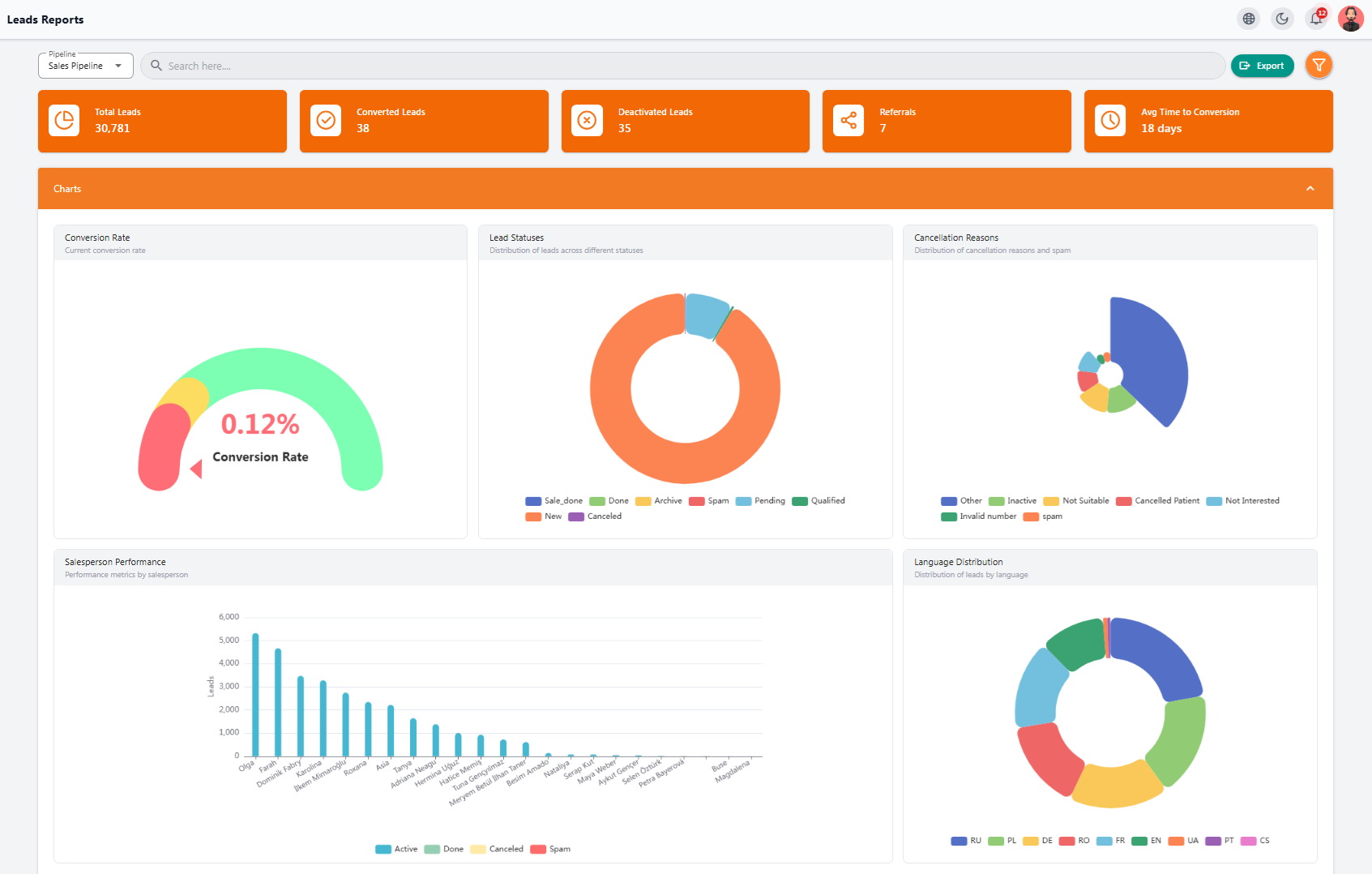
🔸 Key Stats at the Top #
- Total Leads: Total registered leads
- Converted Leads: Leads that resulted in a final sale
- Deactivated Leads: Inactive or canceled leads
- Referrals: Referred leads
- Avg Time to Conversion: Average time it takes to convert a lead into a customer
📈 Analytical Charts #
- Conversion Rate: Percentage of leads successfully converted
- Lead Statuses: Overview of the current status of all leads
- Cancellation Reasons: Detailed analysis of why leads failed to convert
- Salesperson Performance: Comparison of activity and efficiency among sales team members
- Language Distribution: Language of leads to identify target markets
🔻 Sales Funnel #
The funnel chart shows the journey of leads from entry to final sale, segmented by language.
📊 Lead Sources #
Shows channels through which leads entered the system, such as WhatsApp, Facebook, website, Google, etc.
📋 Leads Table #
At the bottom of the page, a complete list of leads is displayed, including:
- Name, contact number, email
- Salesperson responsible, category, status, and stage
- Language, source, campaign, creation date, and last update
🔍 Purpose #
This section is designed for detailed analysis, professional reporting, and quick decision-making, keeping your sales process always on the optimal path.
Tasks Reports #
The Tasks Reports section in NexaPortal is a smart and practical tool for sales representatives to track, manage, and monitor all tasks recorded in the system. This module helps you see the progress of work, the responsible person, and task type at a glance, enabling fast action when needed.
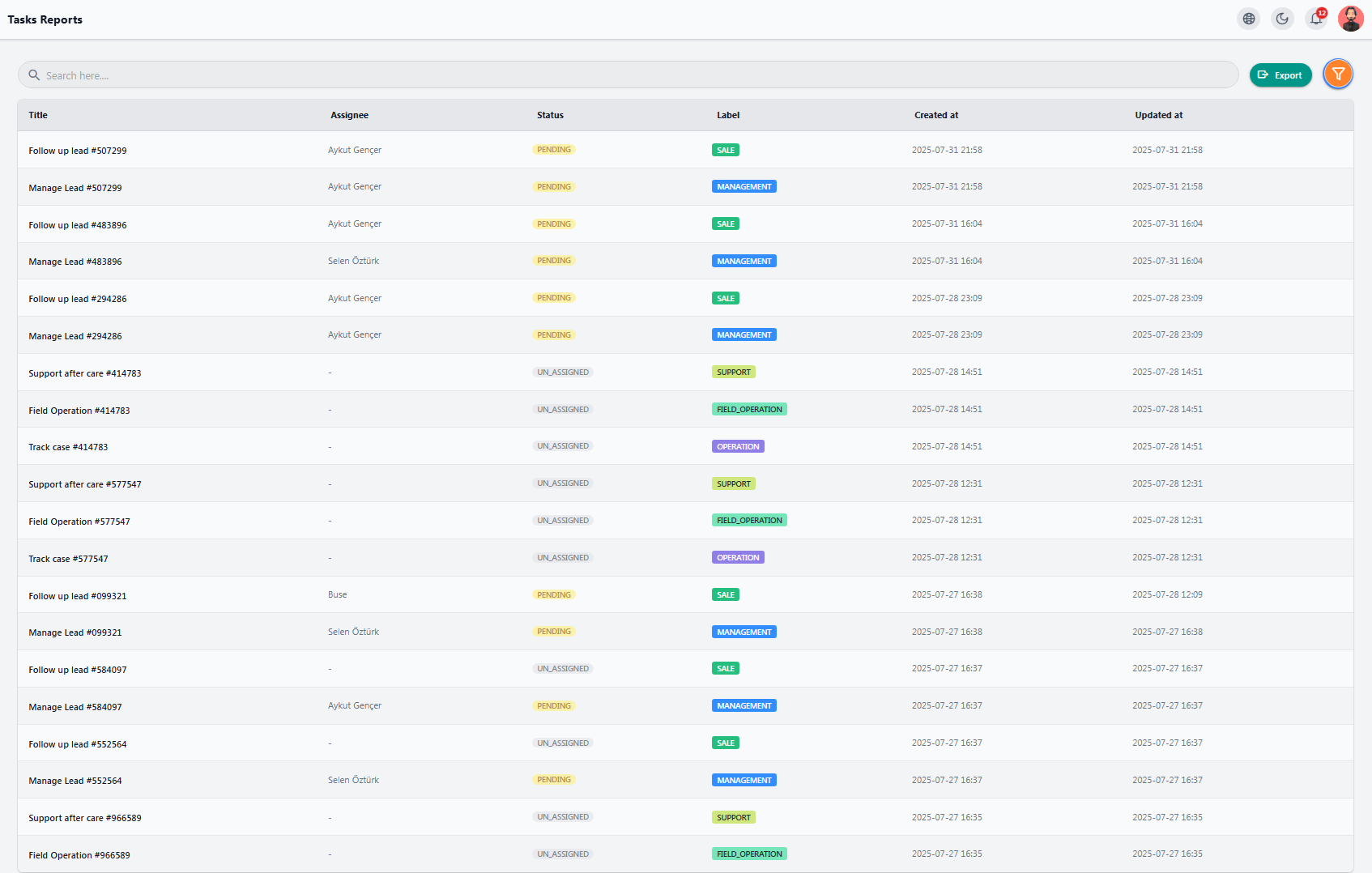
📌 Table Information #
- Task Title (Title): Short description of the task
- Assignee: Person responsible for completing the task
- Status: Task status, such as pending, in progress, etc.
- Label: Role for which the task was created
- Created at: Date and time the task was created
- Updated at: Last update time for the task
🔍 Purpose #
This report allows you to categorize tasks by filters, export data if needed, and ensure all tasks are completed successfully.


