
The Leads section in the Field Operation Panel allows field team members to manage and track leads in a precise and organized way. This module is designed especially to monitor leads actively progressing through field operations.
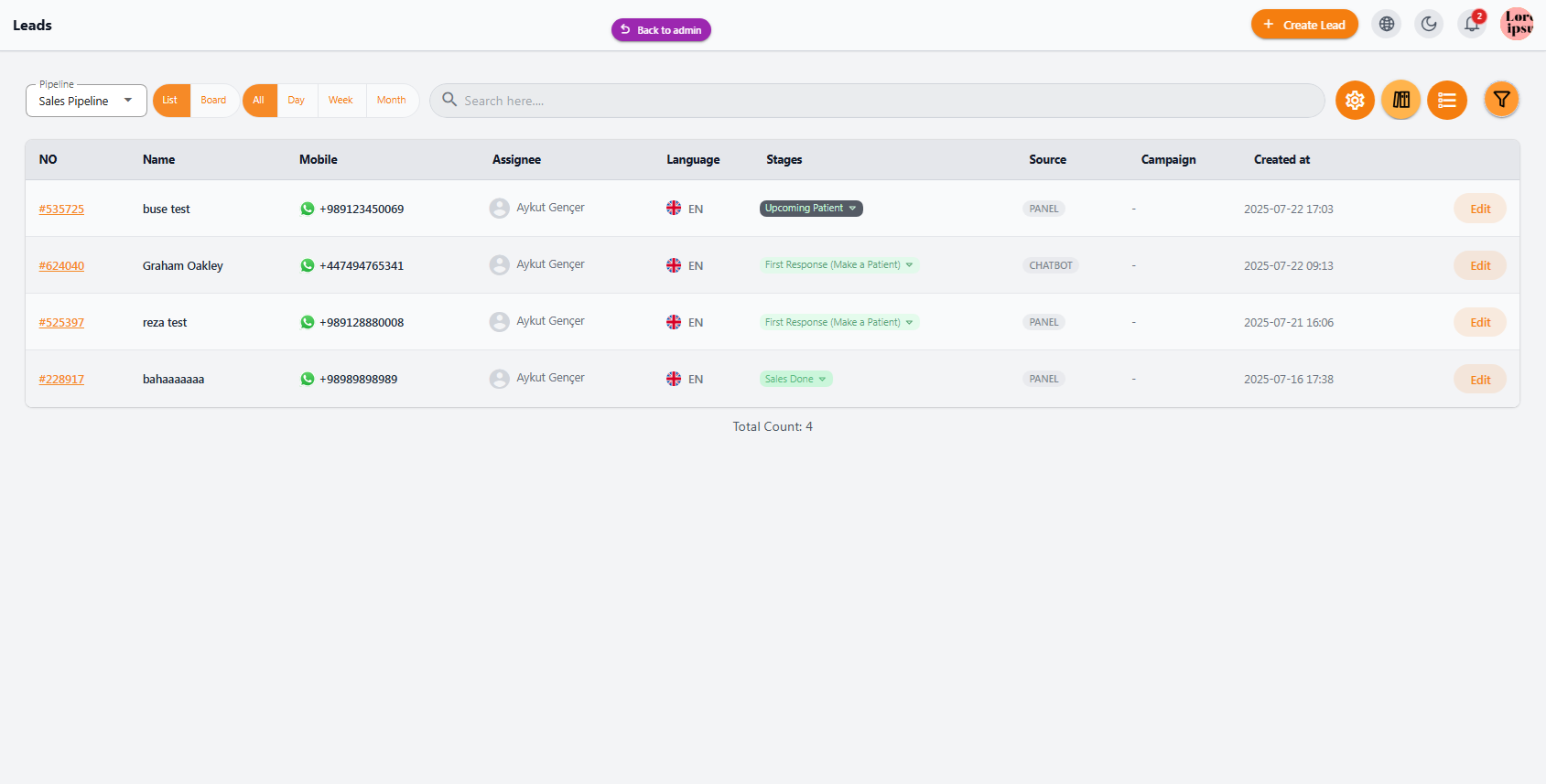
📊 Leads Overview #
In this section, a complete list of leads is displayed along with key details for each:
| Column | Description |
|---|---|
| Lead ID | Unique identifier for the lead, used for search and editing |
| Name | Name of the customer or person associated with the lead |
| Mobile | Customer phone number with WhatsApp icon for quick contact |
| Assigned To | Field agent or specialist responsible for this lead |
| Language | Customer’s preferred language for communication |
| Stage | Current status of the lead, e.g., “First Response” or “Sales Done” |
| Source | Lead source, e.g., Panel or Chatbot |
| Created At | Date the lead was registered for better tracking of history |
🔧 Features & Functionalities #
• Advanced search & filtering to review leads based on phone number, name, or other criteria
• Quick edit options to update lead status, information, or reassign to another field agent
• Multiple views: List, Board, Daily, Weekly, and Monthly for tracking lead progress over time
• Manage “In Progress” and “Completed” leads for precise monitoring and organization
💼 Benefits for Field Agents #
• Quick and easy communication with customers via WhatsApp or other channels
• Centralized lead management in a single panel, improving productivity and team efficiency
• Detailed stage tracking, from priority steps to final sales phases
• Easy access to lead history for reporting and future analysis
This panel helps field agents track all activities effectively and manage leads in an organized, productive way.


