
Leads in the Transfer Panel #
The Leads section in the Transfer Panel helps users responsible for patient transfers to view and track the initial contact information and status of each lead. This section is designed for better coordination of transfers and fast interaction with patients.
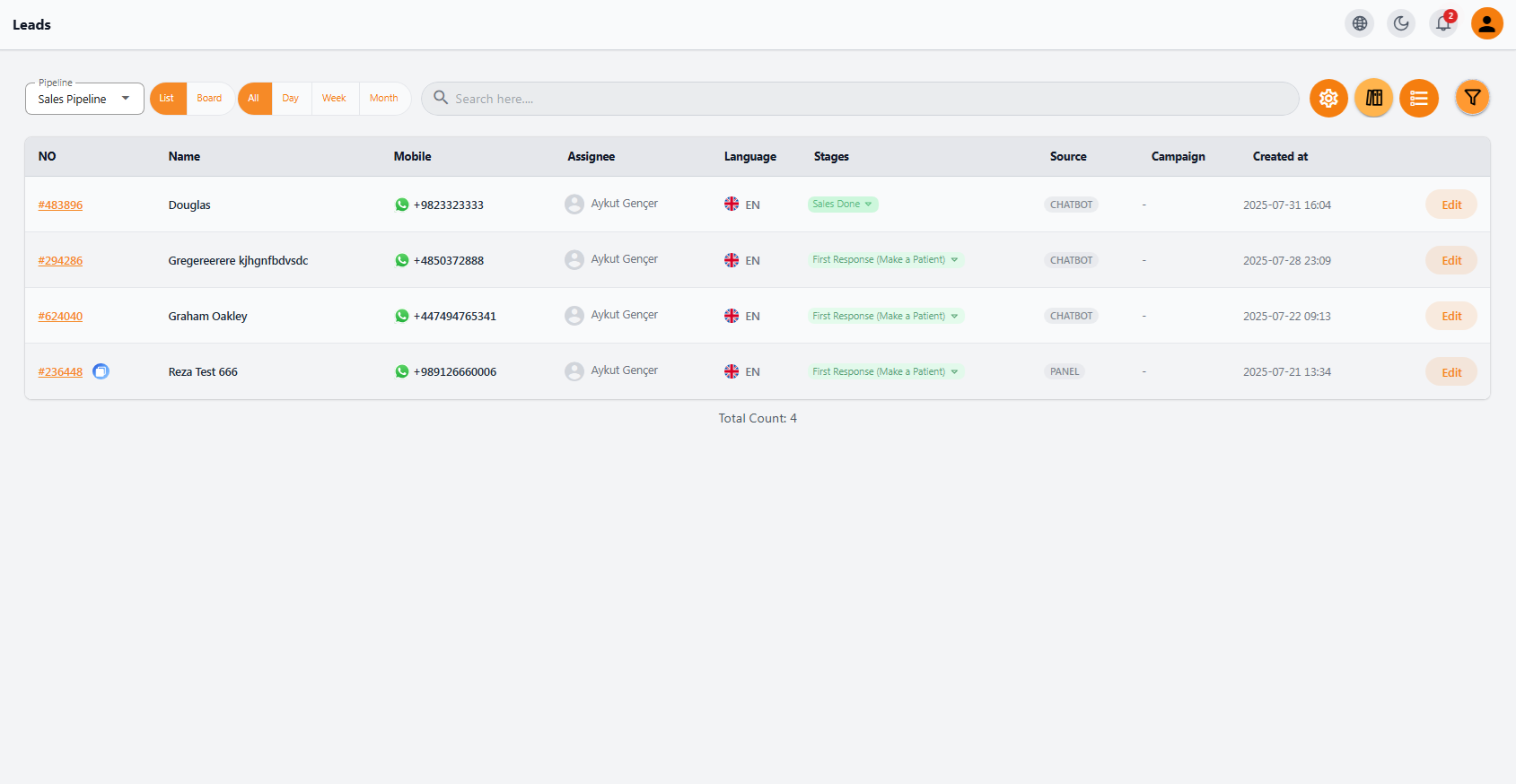
🧾 Leads List #
In this module, key information for each lead is displayed in an organized table:
| Column | Description |
|---|---|
| Lead Number | Unique ID of each lead, clickable to access detailed records |
| Name | Name of the person the lead belongs to |
| Mobile | Contact number with a WhatsApp icon for quick direct calls |
| Assigned To | Name of the staff responsible for handling this lead |
| Language | Preferred language of the lead for effective interaction |
| Sales Stage | Current stage of the lead in the sales process (e.g., “First Response” or “Sales Done”) |
| Source | Shows how the lead entered the system (e.g., Chatbot or Panel) |
| Created At | Initial date and time the lead was registered in the system |
🔎 Useful Features #
• Advanced search and filter by any column
• Display options: list, board, daily, weekly, and monthly views
• Quick edit option via Edit button
• Filter, review, and view mode buttons are available at the top of the page
🎯 Key Benefits #
• Quick communication with patients via WhatsApp with a single click
• Awareness of sales stage for transfer planning according to patient status
• Integrated access to lead information without entering the sales section
• Alignment of the transfer team with the sales team for precise and timely service execution


